Options Mapper by 0xM
Options Mapper turns a price idea into Derive option trades, sized to what you will risk and drawn right on the chart.
Launch news: 0xM Studio launches Options Mapper: plan an options trade by tapping the chart
How it works
1Mark your idea
Click a price and a date on the chart, or drag across a price range. The date moves to the nearest day options end on Derive, the exchange where trades are placed.
2Set your risk
Enter the most capital you would put on one trade. Suggestions are sized to it, with Derive’s fees and the 0xM fee included.
3Compare setups
Six kinds of trade, from single calls and puts to spreads, ranges (condors) and straddles. Each is paid for up front, so the most you can lose is what you pay, fees included. Up to three are tagged: Steady pays most often, Bold pays the most when it pays, Balanced sits between. The tags compare setups; they are not a recommendation.
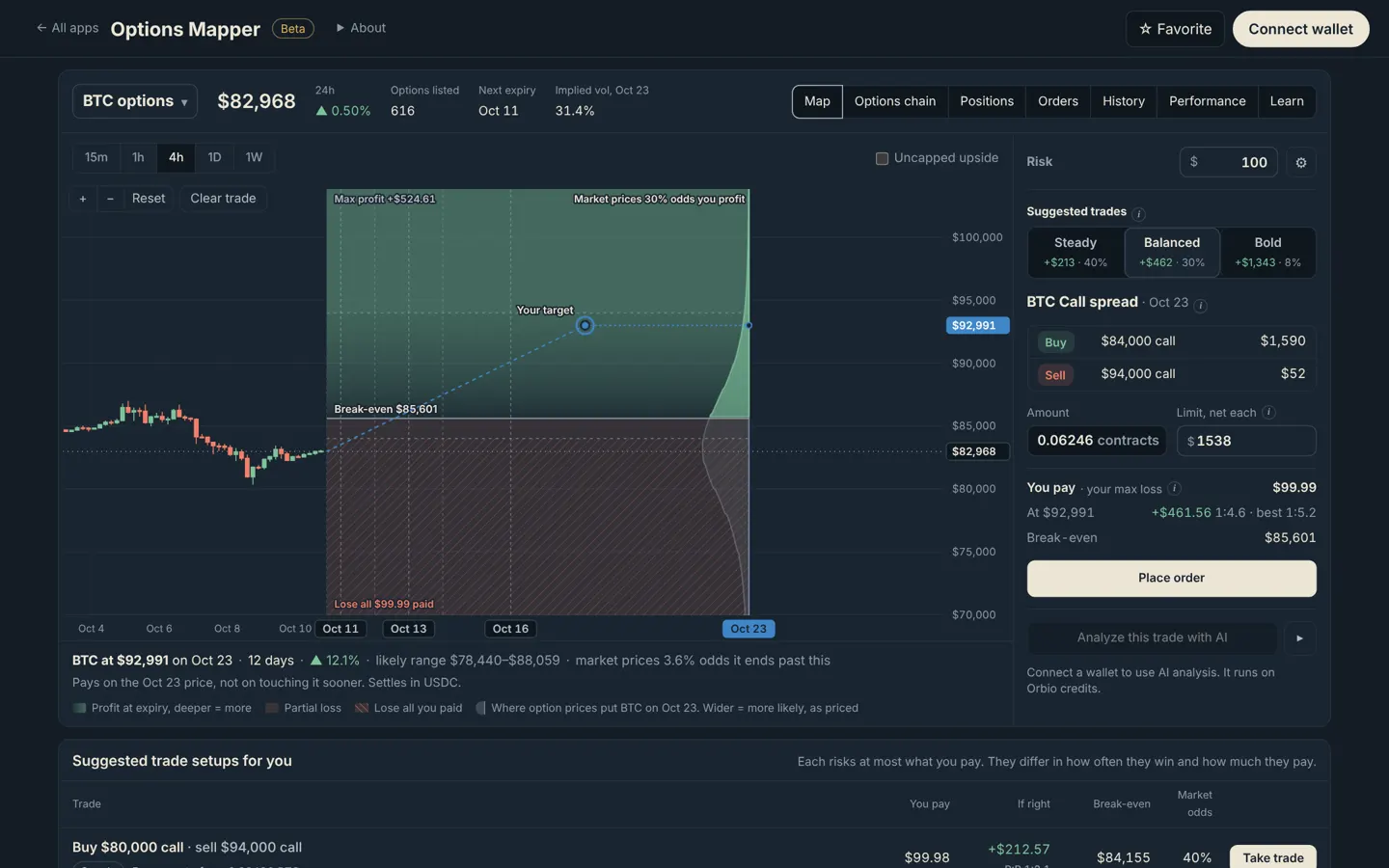
A target and a trade 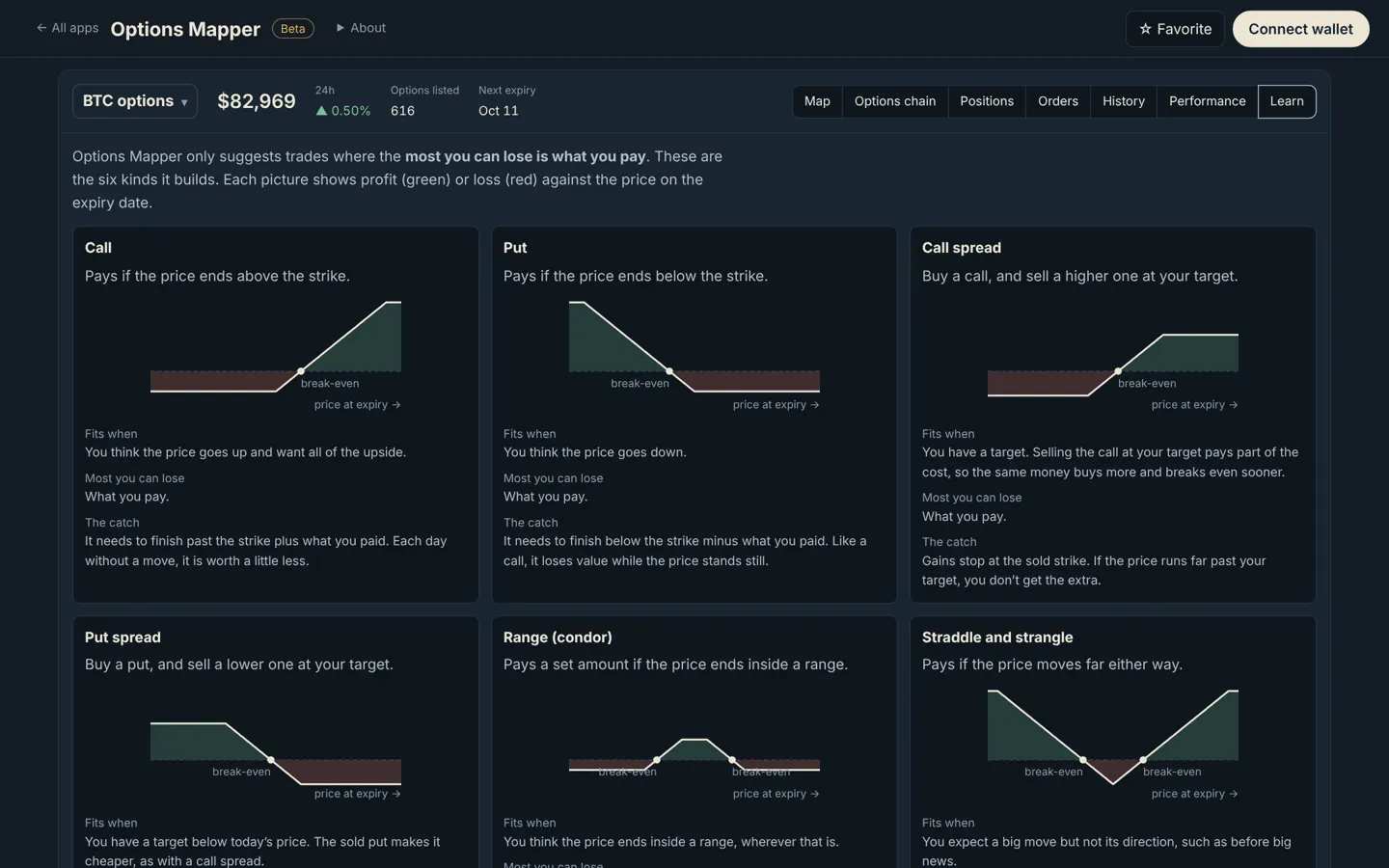
Learn
- What it costs
- Free to explore, and paper trades move no money. Real trades carry a 0xM fee of 1% of the option prices (min $0.10, max $10), plus Derive’s own fee.
- Not yet
- In beta, a real trade is capped at $100 of option prices. Real options trading is not offered in the United States, Canada, the United Kingdom, Australia and sanctioned places; mapping, paper mode and learning still work there.
- Each setup is drawn on the chart: green where it makes money at expiry, flat red for the capped loss. Hover for profit or loss at any price.
- Paper mode, a switch in Settings, practices with paper trades before any money moves.
- AI analysis sends a chart picture and the trade’s exact numbers to a vision model, paid in Orbio credits after a priced estimate.
- Odds come from option prices, not a forecast. Not advice.
Pictures and clips recorded from the live app, October 2026.